

Thursday, May 1, 2008
 Digiguru v8... interesting idea
Thursday, May 1, 2008 
I received an announcement about (Craig Jamieson) digiguru's latest website, version 8.
I checked it out, and while it's clean and pretty easy to use, I wanted to see how she resized and I was pleasantly surprised. And then wondered to myself beyond sizing to larger sizes (my monitor is a monster), was the reverse a good idea?
Here are two images of the site I'll reference:

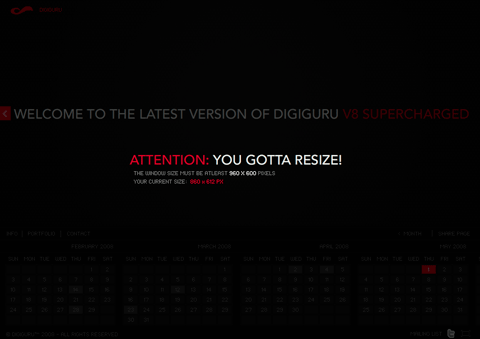
You'll notice that the site lets the viewer know when they have resized their browser to a size that is out of range for what the author has in mind. Now that's quite useful information, but I'm not sure that I see a whole lot in the site that shouldn't work when sized down to a reasonable (but out of range) size.
Here are two images of the site I'll reference:
You'll notice that the site lets the viewer know when they have resized their browser to a size that is out of range for what the author has in mind. Now that's quite useful information, but I'm not sure that I see a whole lot in the site that shouldn't work when sized down to a reasonable (but out of range) size.
Is this some needless technology to make the user say to themselves, "Wow, this site knows how large it is, that's cool." I don't want to pick on this site, because I think it's very well done, and I might not see the ramifications of sizing things too small (yet).
I do like interfaces that are liquid and are smart enough to re-layout the contents in response to changes in their environment. I think it's a very nice touch, way beyond providing scrollbars and forcing a user to work for your content. It means as a designer/developer you care about their experience beyond the normal.
It's always something to consider. I'm not quite sure I'd warn a viewer in a possible needless situation here.

Comments:
There are currently 0 Comments:
